
Month-end still looks the same in too many accounting teams. A shared inbox fills with vendor PDFs. Someone downloads attachments, renames files, keys header data into QuickBooks or Xero, checks whether a PO exists, emails a manager for approval, and then circles back days later to see whether payment can finally be released.
That process is slow, but the bigger problem is what it does to your team. Good bookkeepers and AP staff end up spending their time on mechanical work instead of review, control, and reconciliation. Errors creep in through rekeying. Approvals stall in email threads. By the time the invoice is posted, you're already behind on the bank rec.
Automated invoice processing fixes the front half of that workflow. The better systems also expose a second problem that many firms don't plan for. Cleanly extracted invoice data is useful, but it doesn't close the books by itself. You still have to prove what happened, reconcile it to cash movement, and leave a defensible trail for anyone who reviews the file later.
The End of Manual Invoice Entry
If you've worked an AP close, you know the pattern. Ten invoices arrive as proper PDFs, five come as phone photos, two are forwarded three times, and one has a missing page. A staff bookkeeper opens each file, copies vendor name, date, amount, due date, and invoice number into the accounting system, then stops to ask whether the charge belongs to operations, software, or prepaid expense.
Nothing about that work is high value. It still has to be done, but manual entry turns simple processing into a chain of interruptions. The AP person isn't just entering invoices. They're searching inboxes, renaming attachments, chasing approvals, and correcting fields that were mistyped a few screens earlier.
That's why many firms start looking beyond isolated shortcuts and toward broader workflow redesign. If you're assessing where invoice automation fits inside the larger finance stack, this guide on how to boost business efficiency with BPA is a useful companion because it frames invoice handling as one part of a repeatable business process rather than a standalone task.
What manual AP usually looks like in practice
- Scattered intake: Invoices arrive by email, scan, portal upload, or texted image.
- Repeated entry: The same data gets touched in a spreadsheet, then again in the accounting platform.
- Approval drift: Managers approve in email, chat, or verbally, which leaves weak documentation.
- Month-end pileups: Staff defer lower-priority invoices until close, then work the backlog all at once.
A practical first step is centralizing intake so documents move through one queue instead of several side channels. Teams that handle large volumes often combine that with batch processing for financial documents, because volume is where manual AP usually breaks first.
Manual invoice entry doesn't fail because people are careless. It fails because the process asks careful people to do repetitive work at scale.
Automated invoice processing starts with that reality. It replaces keying and chasing with structured capture, validation, routing, and posting.
How Automated Invoice Processing Actually Works
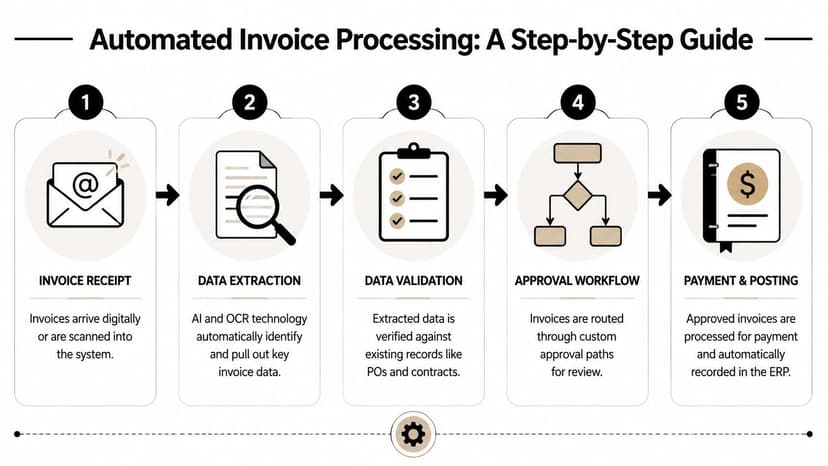
Think of modern AP software as a digital mailroom assistant. It doesn't just read incoming invoices. It identifies what the document is, pulls the right fields, checks whether the numbers make sense, and sends the file to the right next step.
Capture comes first
The first layer is OCR, which converts text in a scanned or digital invoice into machine-readable data. Basic OCR can read characters. That helps, but it doesn't always understand whether a number is an invoice total, a tax amount, or a line item extension.
Modern systems go further. In automated invoice processing, AI-powered OCR combined with machine learning achieves data extraction accuracies exceeding 99% for structured fields, while traditional OCR operates around 80% to 85% according to Workday's explanation of automated invoice processing. The difference is semantic understanding. The system can identify headers, tables, and rotated text without relying on rigid templates.
Validation is where the real work happens
Extraction alone isn't enough. Good AP systems validate what they capture.
That means the platform may:
- Check totals: Quantity times unit price plus tax should agree with the invoice total.
- Check duplicates: Same vendor, same invoice number, same amount should trigger review.
- Check vendor records: The supplier should exist in the master file with expected details.
- Check purchasing support: PO-based invoices should align to a PO or receipt before approval.
If confidence is low, the invoice doesn't disappear into a black box. It should be routed to a person with the exact field that needs review highlighted.
A lot of teams miss this distinction and buy “OCR” when what they really need is document understanding plus exception handling. If your current process struggles with bad scans and unreadable PDFs, it helps to review common OCR extraction problems in accounting workflows before selecting a platform.
Workflow turns captured data into usable accounting records
After validation, the system pushes the invoice through approval rules. Amount thresholds, departments, cost centers, PO status, and vendor type determine who sees it next. Once approved, the invoice can be posted to the ERP or accounting system for payment scheduling.
Practical rule: If the software can extract fields but can't explain why it routed an exception, it isn't ready for a finance-controlled environment.
Teams evaluating the broader impact of AI in operations may also find this perspective on exploring AI's potential by 2025 helpful, especially because AP is one of the clearest examples of AI moving from generic promise to tightly defined workflow use.
The Real ROI of AP Automation
The business case for automated invoice processing gets clearer when you stop talking about “efficiency” in general terms and look at cost per invoice, staff capacity, and error reduction.
Organizations implementing complete invoice automation achieve processing costs as low as $3 per invoice, compared with manual methods that average $15 to $16 per invoice, which represents potential savings of 75% to 80% according to invoice processing benchmark statistics compiled here. The same benchmark notes that a single AP employee can process over 23,000 invoices annually with automation versus about 6,000 manually.
Manual vs. Automated Invoice Processing at a Glance
| Metric | Manual Processing | Automated Processing |
|---|---|---|
| Cost per invoice | $15 to $16 | As low as $3 |
| Annual invoices per AP employee | About 6,000 | Over 23,000 |
| Typical savings | N/A | 75% to 80% potential savings |
Those numbers matter, but the accounting impact is even more practical than the headline savings suggest. Lower processing cost isn't just a budget line improvement. It means your experienced staff can spend less time on intake and more time on coding review, vendor issue resolution, and close support.
Where the return actually shows up
- Labor redeployment: The benchmark data shows substantial time savings from automation. In a real firm, that means fewer hours spent on repetitive capture and more hours available for review and client communication.
- Error reduction: Fewer keying errors mean fewer duplicate checks, fewer coding fixes, and less rework at close.
- Discount capture: The same benchmark notes that automation can help capture early payment discounts averaging 2% per invoice, with annual value cited at $30,000 to $150,000 for 5,000 invoices.
- Storage and retrieval: Removing paper and manual filing reduces physical storage costs and makes support easier to retrieve when questions come up later.
What firms often get wrong
Some buyers overstate ROI by counting only invoice entry time. That's too narrow. The return improves when the workflow includes approval routing, validation, duplicate prevention, and posting discipline. It improves again when exception review is handled by the right person instead of bouncing around AP.
The strongest ROI usually comes from changing who touches the invoice, not just how quickly data is captured.
If your volume is low, the direct savings may feel modest at first. If your environment is messy, with multiple approvers and inconsistent vendor submissions, the control benefits often justify the move before the labor savings fully show up.
An Implementation Roadmap for Accounting Teams
Most AP automation projects fail for the same reason ERP cleanups fail. The team tries to automate a messy process exactly as it exists today, with every exception, every workaround, and every undocumented approval habit preserved.
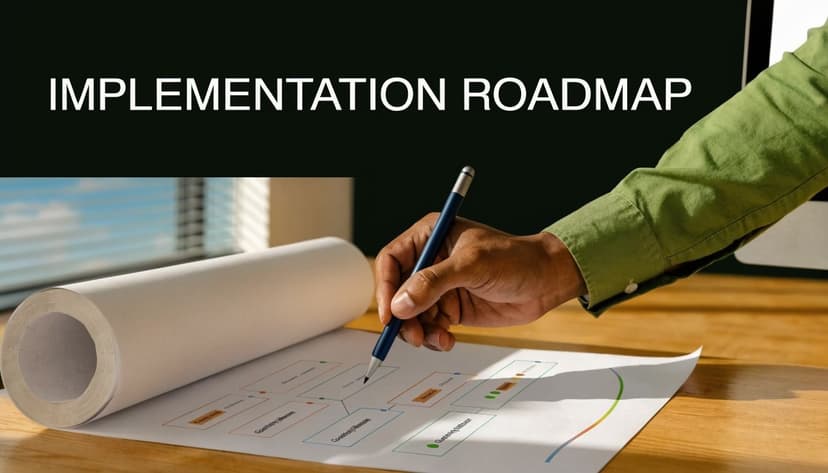
A better approach is phased. Start with one entity, one client, or one invoice type. Get the process stable. Then expand.
Start with the workflow you actually have
Before choosing rules, map the current path of an invoice from arrival to payment. Include the unofficial steps. If managers approve by replying “looks good” in email, note that. If non-PO invoices always end up with the controller, note that too.
Then isolate the friction points:
- Intake problems: Lost attachments, duplicate forwarding, inconsistent file naming
- Coding issues: Repeated miscoding by vendor or department
- Approval delays: Invoices sitting with the same approver every month
- Posting gaps: Approved invoices not making it into the accounting system cleanly
Pilot with a contained use case
Good pilots are boring on purpose. Choose a set of invoices with enough volume to matter, but not so much complexity that the team gives up halfway through. A common example is recurring vendor invoices with stable coding and straightforward approval paths.
What works:
- Define acceptance criteria early. Decide what a successful pilot looks like in operational terms.
- Assign one owner. Someone has to own exceptions, vendor setup questions, and workflow changes.
- Train approvers, not just AP staff. Most delays happen outside AP.
- Keep the accounting integration simple first. Post basic entries accurately before layering in every edge case.
What doesn't work is trying to automate every client, every vendor, and every approval route at once.
Build around the accounting system, not beside it
The AP tool has to fit your posting and reconciliation model. If your firm runs client books in Xero, review how invoice data will land in that ledger, how vendor records sync, and how payments are reflected. For teams working in that ecosystem, it helps to examine Xero integration options for accounting automation early, before workflow decisions harden.
A short product walkthrough can help teams visualize the moving parts before they configure rules:
Expect role changes
When the implementation is healthy, AP staff spend less time entering invoices and more time reviewing exceptions, monitoring queues, and tightening coding logic. That's a process change, not just a software feature.
An AP automation rollout succeeds when the approval path becomes clearer than the old email chain, not when the OCR screen looks impressive.
The Integration and Reconciliation Challenge
Most articles stop at extraction. That's where the actual work starts.
An invoice can be captured correctly, coded correctly, approved correctly, and still create month-end friction if the payment doesn't reconcile cleanly to the bank activity or if the posting lands differently across systems. This is the second mile problem. The invoice workflow is automated, but the books still need to be tied to cash.
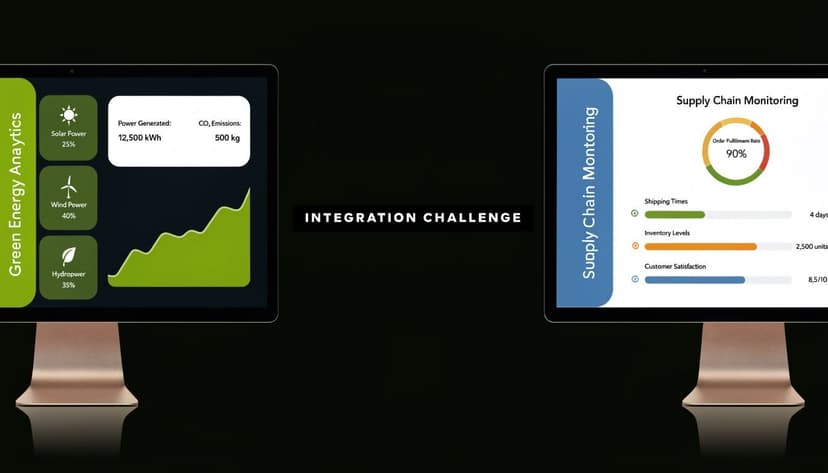
According to Tungsten Automation's discussion of invoice processing challenges, automation can deliver 60%+ time reduction, but a major roadblock remains the downstream friction of reconciling extracted invoice data with bank statements across QuickBooks, Xero, or Sage. That creates a hidden manual gap after capture.
Where the second mile breaks down
Three patterns show up repeatedly in practice.
- Posted but unmatched: The invoice is in AP, but the payment in the bank feed doesn't clearly match because of batching, partial payment, or naming differences.
- Correct invoice, weak bank data: The invoice detail is clean, but the bank feed lacks enough usable detail to support fast matching.
- Multi-system drift: The invoice approval tool, ERP, and bank source each hold part of the truth, and no one view ties them together cleanly.
This is why AP automation alone rarely eliminates reconciliation work. It shifts the work. The tedious part moves from data entry to downstream matching, review, and exception clearing.
What a complete workflow should include
A practical end-to-end process needs both sides of the transaction:
| Workflow layer | What it solves | What it does not solve |
|---|---|---|
| Invoice automation | Capture, validation, approvals, posting | Bank-side matching by itself |
| Bank data standardization | Clean transaction detail for reconciliation | Invoice-side coding and approval |
| Combined workflow | Faster close, clearer matching, cleaner support | Poor internal policies and weak review discipline |
If your team keeps running into unexplained payment variances or hard-to-match transactions, targeted help with reconciliation mismatch workflows is often more valuable than adding another capture tool.
Clean invoice data without clean reconciliation is only partial automation.
For firms that want the practical bridge between AP records and cash movement, the available finance data conversion tools for accountants are worth reviewing because they address the part of the process many AP platforms leave unfinished.
A CPA's Checklist for Choosing an AP Vendor
Vendor selection isn't a feature hunt. It's a risk decision. The software you choose will determine how your team captures liabilities, documents approvals, handles exceptions, and supports the audit file later.
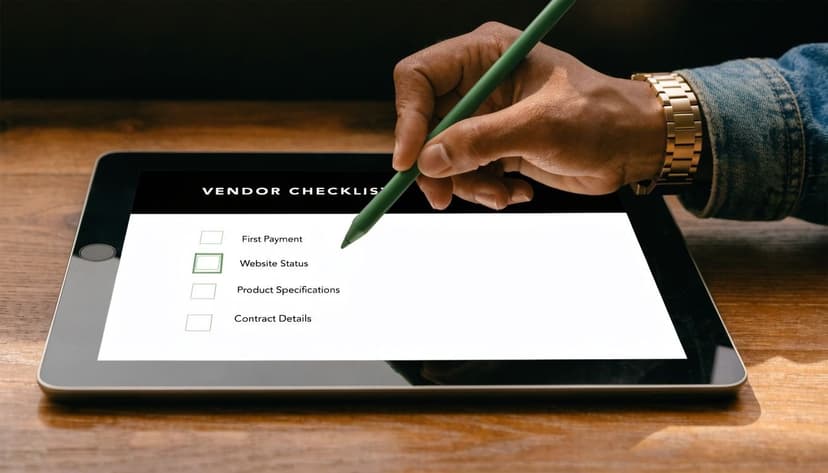
A polished demo usually shows the happy path. CPAs need to test the ugly path. What happens when a PO is missing, the vendor name is inconsistent, tax doesn't foot, or the same invoice arrives twice?
The checklist I'd use in a real evaluation
- Exception handling quality: Advanced platforms can autonomously resolve 20% to 30% of mismatches before human intervention, which can raise touchless processing from 70% to over 90%, according to Mindsprint's review of invoice processing automation. Ask the vendor which mismatches those are, how they're documented, and when the system stops and escalates.
- Accounting integration depth: Don't settle for “integrates with QuickBooks” as a generic claim. Ask what syncs, when it syncs, and what happens to failed posts.
- Approval control: Make sure the workflow can reflect actual authority levels, substitutions, and audit logging of approvals.
- Usability for clients and approvers: A good AP tool shouldn't require your client's operations team to learn accounting language just to approve an invoice.
- Support for nonstandard invoices: Test low-quality scans, multipage files, credit memos, and mixed tax layouts.
Questions that expose weak vendors
Ask to see:
- A duplicate invoice scenario
- A PO mismatch with tolerance review
- A failed sync to the accounting platform
- An approval reassignment when someone is out
- The audit log for every action taken on one invoice
If the vendor can't demonstrate those clearly, the implementation will depend too heavily on manual fixes.
Price matters, but operating model matters more
Per-invoice pricing can work well for stable volumes. Subscription pricing can make sense for firms with multiple entities or clients. The key is understanding whether exception handling, implementation support, and integration maintenance are included or shifted to your team.
If you're comparing tools in the bookkeeping market, a side-by-side look at how Dext compares with other finance automation options can sharpen your evaluation criteria, especially around extraction versus downstream accounting use.
Buy the vendor that shows you their failure handling, not the one with the cleanest demo invoice.
Security Compliance and Creating Defensible Audit Trails
Automation improves speed and accuracy, but compliance gets harder if the system can't explain itself. That's the part many buyers underestimate.
The hidden burden in automated invoice processing is the need for detailed audit trails explaining AI decisions, especially for CPAs whose files may later be reviewed for tax, lending, or audit purposes. As explained in this review of automation benefits and risks, the black-box nature of some AI tools can become a liability when a third party asks why an invoice was approved, flagged, or routed a certain way.
What a defensible record should show
A proper audit trail should capture:
- Document history: when the invoice entered the system and in what form
- Field-level review: what was extracted, what was changed, and by whom
- Decision logic: why the system approved, held, or escalated the invoice
- Approval evidence: timestamps, approver identity, comments, and reroutes
- Posting traceability: what entry reached the accounting system and when
Security controls matter too. If a platform stores sensitive financial files, you need strong access controls, secure transmission, and clear retention handling. In finance, convenience isn't a substitute for traceability.
Why this matters beyond AP
Loan files, tax audits, due diligence requests, and client disputes all come back to the same question. Can you support the accounting decision with a clean record?
That's why the best automation setups don't just reduce touches. They leave evidence that another accountant, auditor, lender, or reviewer can follow without guessing.
If your AP workflow is only half automated because reconciliation still depends on messy bank PDFs, ConvertBankToExcel fills that gap. It converts bank and credit card statements into structured data for Excel, CSV, QuickBooks, Xero, and Sage, giving finance teams a cleaner path from invoice posting to bank reconciliation and a stronger support file when timing or matching questions come up.