
An invoice lands in the inbox five minutes before the payment run. The amount looks familiar, the vendor is approved, and someone on the team is ready to click pay. Then you compare it to the purchase order and the receiving record, and the numbers don’t line up.
That moment is where good accounting habits show. If you can reconcile an invoice cleanly, you protect cash, keep the ledger accurate, and avoid the kind of small AP mistakes that turn into audit issues, supplier disputes, or duplicate payments a month later. Understanding the concept isn't typically the issue. The struggle lies in the messy middle: missing receipts, partial payments, PDF bank statements, unapplied credits, and invoices that almost match but don’t quite.
I’m going to walk through the process the way a seasoned CPA would train a new bookkeeper. Not the polished version. This is the practical one.
Why Accurate Invoice Reconciliation Matters
A bad reconciliation rarely starts with a dramatic error. It starts with an invoice for 100 units when receiving logged 92, or a vendor statement that shows an open balance after your team already sent a partial payment. It can also start with a credit memo that never got applied, so AP pays the full invoice and creates a dispute that burns an afternoon to fix.
That is why accurate invoice reconciliation matters. It protects cash before payment goes out, and it protects the general ledger after payment posts. In practice, you are confirming that the amount billed matches what was ordered, what was received, what was credited, and what was already paid.
The risk is not limited to overpayment. Underpayments create vendor friction. Misapplied partial payments leave old invoices showing as open. Duplicate invoice numbers with slightly different formatting can slip through and hit the bank twice. I see these issues show up later as stale AP aging, unexplained expense balances, and month-end close delays.
Good reconciliation also gives you a clean trail when someone asks hard questions. Why was this short-paid? Why did we book a credit to inventory instead of expense? Why is this invoice still open after a payment cleared? If the support is organized, those answers take two minutes. If it is not, the team starts piecing together PDFs, email approvals, and bank exports by hand.
Modern tools help most with the tedious prep work. If payments arrive in messy bank PDFs or mixed statement formats, teams can standardize that data before matching by using a bank statement converter guide for cleaner reconciliation prep. On the receivables side, automating A/R with QuickBooks also helps keep cash application clean, which matters when finance is trying to trust both sides of the ledger at once.
What accurate reconciliation protects
- Cash. You avoid paying the full invoice when a credit memo should reduce it, or paying the same invoice twice because one copy used a dash in the invoice number and the other did not.
- Expense and liability accuracy. The right amount lands in the right period, and open payables reflect what the company owes.
- Vendor relationships. Clean support makes it easier to defend a short payment tied to a quantity issue or pricing dispute.
- Audit readiness. Reviewers can follow the match from source documents to payment and any adjusting entry without guessing.
- Internal control discipline. Segregation of duties, approval trails, and documented exceptions matter under SOX-focused control frameworks, as outlined in the SEC’s guidance on internal control over financial reporting.
One point gets missed in a lot of basic guides. Reconciliation is not only about perfect matches. It is also about handling the exceptions correctly.
If a $10,000 invoice is paid at $7,500 because part of the shipment was damaged, the reconciliation needs to show the dispute, the payment applied, and the remaining balance status. If a vendor issues a $600 credit memo after billing the wrong freight charge, AP needs to apply that credit instead of burying it in email. If the payment cleared but was posted to the wrong invoice, the bank is right and the ledger is wrong. Those are normal accounting problems. Accurate reconciliation catches them early, and clean documentation gives you the support to book the fix without creating another mess.
Gathering Your Reconciliation Documents
Most invoice problems are easier to solve before you open the accounting system. If the documents are incomplete, the software won’t save you. It will just let you record a messy answer faster.
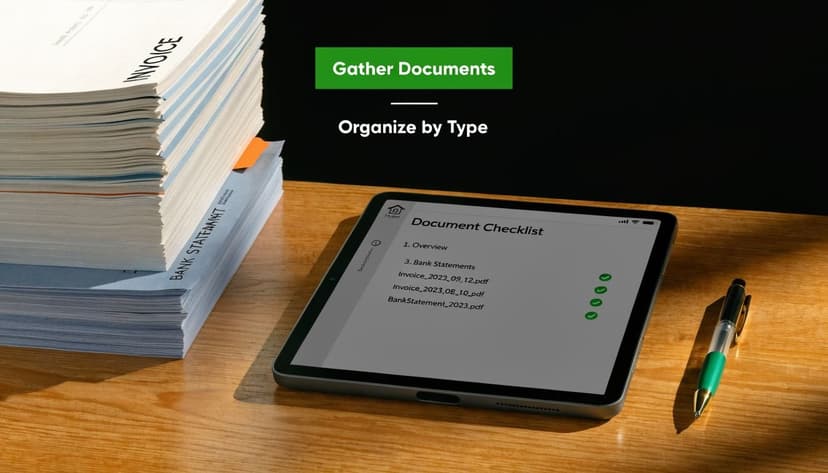
Start with a document packet
For each invoice, pull together a single packet, digital or physical, that includes:
- The supplier invoice with invoice number, date, line items, and terms
- The purchase order or contract that authorized the spend
- The receiving document such as a goods receipt note, delivery receipt, or service confirmation
- Any prior credit memos tied to the vendor or order
- The AP ledger detail showing whether anything has already been posted or partially paid
If your team skips this prep, people start making judgment calls from memory. That’s where duplicate payments and unsupported approvals creep in.
Two-way match versus three-way match
A two-way match compares the invoice to the PO. That can work for recurring services, subscriptions, or purchases where there’s no physical receipt to verify.
The gold standard is the three-way match: invoice, purchase order, and goods receipt note. It confirms that what was billed matches what was ordered and what was actually received.
The operational value is straightforward. The three-way match standard is described as reconciling supplier invoices against POs and GRNs within a 1-2% tolerance, and that same source notes that unverified deliveries lead to 25% of overpayments while line-by-line review flags pricing errors in 15-20% of invoices.
Build a repeatable intake check
I train teams to ask these questions before they reconcile anything:
- Does the vendor name on the invoice match the approved vendor record?
- Is there a valid PO or contract behind the charge?
- Do we have evidence the goods or services were received?
- Has the invoice already been entered or paid?
- Is there any note of a prior dispute, short shipment, or pending credit?
A short checklist beats a heroic memory. If your team often receives statements as PDFs before reconciliation starts, this guide to a bank statement converter workflow is a practical way to standardize the prep work before matching begins.
Extracting and Cleaning Payment Data
A reconciliation can go off the rails before anyone opens the accounting system. I see it when a vendor says invoice 1847 is still open, the bank shows one ACH for a lower amount, and the remittance advice is buried in a scanned PDF with two handwritten notes about a short shipment and a credit memo. If the payment data is messy, the team starts chasing the wrong problem.
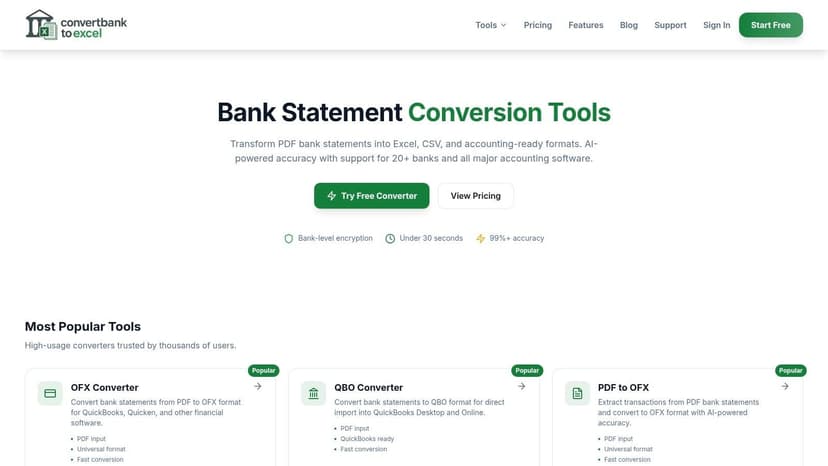
Raw payment support rarely arrives in a format you can trust for matching. Bank statements split descriptions across lines. Lockbox exports abbreviate vendor names. Remittance emails list three invoices paid, one invoice disputed, and one deduction for freight damage. If someone copies that by hand into Excel, the cleanup work often creates more exceptions than the original payment.
That matters because bad prep produces false discrepancies. A date imported as 03/04 instead of 04/03 can make an on-time payment look late. A credit memo applied as a positive amount can leave an invoice appearing underpaid. A partial payment posted without the remittance reference can get matched to the wrong open item.
What clean payment data needs to capture
For invoice reconciliation, a usable payment file has to do more than list amounts. It needs enough detail to explain what happened.
Keep these fields intact:
- Transaction date in one consistent format
- Payment amount with credits and debits clearly separated
- Bank reference or check number
- Vendor name exactly as paid
- Remittance detail, including invoice numbers covered by the payment
- Notes for deductions, disputes, short pays, or credit memos
One row per transaction is the baseline. If one payment covers five invoices, keep the bank transaction as one row in the raw file and map the invoice-level application in a separate working tab or import file. Combining both into one messy sheet is where teams lose the audit trail.
The cleanup work that actually prevents downstream errors
Use a repeatable sequence:
| Step | What to do | Why it matters |
|---|---|---|
| Pull source files | Gather bank statements, lockbox files, remittances, and processor exports | You need full payment context, not just the bank line |
| Preserve the raw data | Save the original PDF, CSV, or image before editing | You need support if a vendor disputes the application later |
| Convert to structured rows | Extract data into Excel or CSV with one transaction per row | Matching logic depends on consistent fields |
| Normalize key fields | Standardize dates, signs, references, and vendor names | This reduces false mismatches |
| Flag exception items | Mark partial payments, deductions, reversals, and unapplied credits | These require judgment before posting |
| Build an application schedule | Tie one payment to one or many invoices as needed | This keeps the bank activity and invoice activity aligned |
I tell staff to stop treating extraction as clerical work. It is control work. The quality of this step determines whether you spend ten minutes matching or two hours investigating a discrepancy that came from a broken PDF import.
For teams pulling data from scanned statements or image-based PDFs, a bank statement parser OCR workflow saves a lot of manual rekeying and reduces the line-break problems that distort dates, amounts, and references.
Where real-world files get messy
Three scenarios cause the most trouble.
Partial payment.
A customer pays $8,000 against a $10,000 invoice because $2,000 is under dispute. The bank line is correct, but the invoice will stay open unless the remittance note is captured and the remaining balance is tracked as disputed, not ignored.
Credit memo netted into payment.
A vendor invoice is $5,500. A $500 credit memo for returned goods is applied, and only $5,000 clears the bank. If the credit memo is missing from the cleanup file, the payment looks short.
One payment for multiple invoices.
A remittance lists invoice 2201 for $3,200, invoice 2208 for $1,750, and invoice 2210 for $600 less a $100 freight deduction. The bank shows one ACH for $5,450. Without invoice-level detail, someone will try to force that payment onto a single open invoice.
Those are not edge cases. They show up every week in active AP and AR environments.
Add the accounting view before you import anything
Clean data should support the journal entry logic, not just the bank match.
If a customer pays part of an invoice and leaves the rest disputed, the entry at receipt is often:
- Debit Cash $8,000
- Credit Accounts Receivable $8,000
The remaining $2,000 stays open on the invoice until the dispute is resolved.
If a vendor payment is reduced by a valid credit memo, the liability clearing may look like this:
- Debit Accounts Payable $5,500
- Credit Cash $5,000
- Credit Purchase Returns or Vendor Credits $500
The exact account depends on how the original transaction and credit memo were recorded. The point is simple. Your cleaned payment data has to show whether the difference is a dispute, a credit, a short pay, or a plain error.
That is also why control design matters. DocParseMagic's accounting controls lays out the matching discipline behind invoice, receipt, and payment review. In practice, good controls only work if the extracted payment data is structured well enough for the team to apply them consistently.
What works in practice
What works:
- Pulling transaction-level payment detail from the original source
- Keeping the raw file untouched and doing edits on a working copy
- Preserving remittance text instead of trimming it for readability
- Tagging exception items before they hit QuickBooks, Xero, Sage, or NetSuite
- Separating bank transaction data from invoice application detail
What fails:
- Copy-pasting statement lines from PDFs into a shared spreadsheet
- Treating all short payments as errors instead of checking for disputes or credits
- Overwriting descriptions until the original payment trail disappears
- Importing payment totals without the references needed to apply them correctly
- Letting each staff member use a different cleanup format
Clean payment data is not about making the spreadsheet look nice. It is about preserving enough evidence to explain every difference before anyone posts an entry or clears an invoice.
Matching Payments in Your Accounting Software
When the support is clean, the actual matching step should be boring. Boring is good. It means the controls are working.
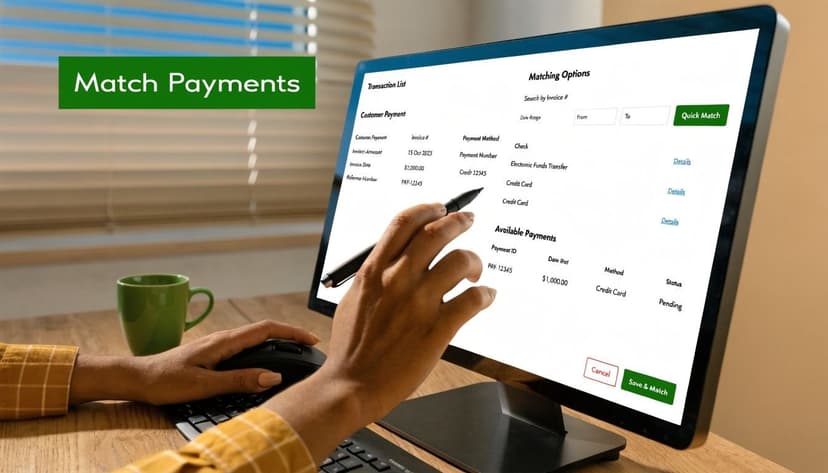
In most accounting systems, the labels differ but the logic doesn’t. You’re looking for the open vendor bill or invoice, finding the corresponding payment, and applying it so the liability clears correctly.
The basic match flow
Use this order every time:
- Open the vendor record and locate the unpaid invoice.
- Compare the invoice amount, date, and reference to the bank transaction or payment batch.
- Use the platform’s Find Match, Receive Payment, or equivalent function.
- Apply the payment to the specific open item, not just the vendor balance.
- Confirm that the bank transaction is marked as matched and the invoice status changes appropriately.
A one-to-one match should end with no leftover balance. If there’s a remainder, stop and identify why. Don’t force a match because the vendor name looks right.
Where teams make avoidable mistakes
The most common software mistakes aren’t technical. They’re judgment errors.
- Matching to the wrong open bill because two invoices have similar amounts
- Posting a payment as a new expense instead of applying it against AP
- Combining multiple invoices into one match without documenting the remittance detail
- Ignoring a small variance that later becomes an aging problem
If you want a plain-English look at the control logic behind this step, DocParseMagic's accounting controls give a good overview of why matching discipline matters before and after posting.
Keep the bank feed honest
A clean bank feed should support the invoice, not replace the invoice process. Bank feeds are convenient, but they tempt users to “add” transactions quickly instead of matching them properly.
Practical rule: If a bank transaction relates to an existing payable, match it to AP. Don’t book it fresh to an expense account unless you’ve confirmed there was never an invoice in the first place.
This is also where import quality matters. If your team works in Xero, this guide on how to import bank statement data into Xero can save a lot of manual correction before matching starts.
A short walkthrough can help if you’re training staff on the screen-by-screen process:
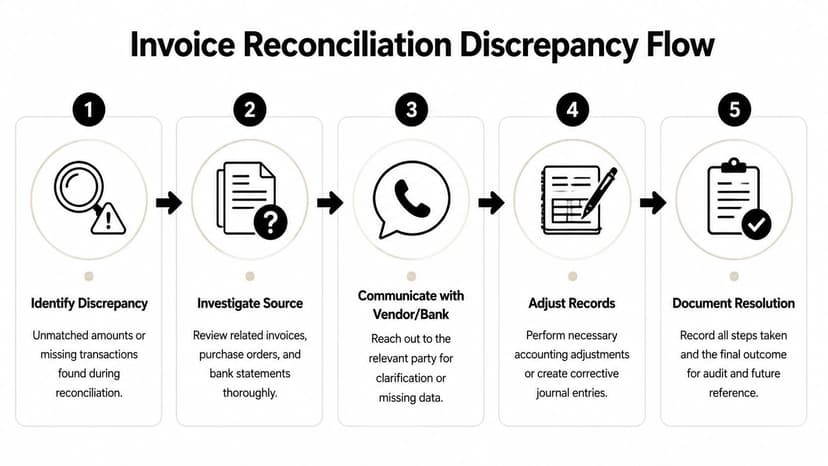
Handling Discrepancies and Exceptions
Junior staff usually get stuck when facing discrepancies. They know how to match a perfect invoice. They don’t know what to do when the payment is short, the quantity is off, or the vendor says a credit is coming “next cycle.”
Manual AP processes have a 2.4% average error rate globally, and the most common discrepancies are quantity mismatches at 40%, pricing at 30%, and taxes at 20%, according to this review of manual AP reconciliation errors. That same source notes the classic example of an invoice for 150 units when delivery records show 140 received, and says this appears in up to 25% of reconciliations.
Partial payment
A vendor invoice is entered for the full amount, but treasury only sends part of the payment. That can happen because of cash constraints, an approved installment arrangement, or a disputed line item.
What to do immediately:
- Verify whether the short payment was intentional
- Check if the remittance advice names specific invoice lines or a flat partial payment
- Leave the invoice open for the unpaid balance
- Add a note in the vendor record so the next reviewer doesn’t chase a false discrepancy
The mistake I see most often is clearing the whole invoice and planning to “fix it later.” Later rarely comes cleanly.
Credit memo pending
A shipment arrives short, damaged, or priced incorrectly. AP confirms the issue, but the vendor hasn’t issued the credit memo yet.
In that case, don’t pretend the invoice is fully valid. Either hold payment, short-pay the disputed amount if policy allows, or record the invoice with a documented exception and monitor the outstanding credit. What matters is that the file shows the reason for the variance and the communication trail.
Don’t close a discrepancy with an email promise. Close it with a corrected invoice, a credit memo, or an approved internal adjustment.
Overpayment
Sometimes the bank record is higher than the invoice. Usually that comes from duplicate payment, keying the wrong amount, or paying an old balance along with the current invoice.
Your first call is to the vendor, not to the general ledger. Confirm whether they applied the excess to another invoice, are holding it as a vendor credit, or will refund it. Until you know that, you don’t really know what the payment represents.
Disputed charge
This is the scenario that trips up teams because it feels operational rather than accounting-related. The invoice may include freight, tax, rush fees, or quantities the business disputes.
Treat it as both. Accounting’s job is to preserve a clean record while operations resolves the issue.
A solid discrepancy routine looks like this:
- Identify exactly which line or amount is disputed
- Pull the PO, receiving record, contract terms, and prior correspondence
- Contact the vendor with the support attached
- Decide whether to hold, short-pay, or accrue pending resolution
- Document the final outcome in the invoice packet
If recurring mismatch patterns are slowing your close, this page on reconciliation mismatch solutions is a useful checklist for tightening the process around repeat exceptions.
A practical mindset for exceptions
There’s a habit I try to break early in new staff: the urge to “make it reconcile” so the task is finished. That mindset creates write-offs no one can defend.
Instead, ask one question: What does the evidence support right now?
If the answer is incomplete, leave a clean exception trail and escalate it.
Creating Adjusting Journal Entries
Once the discrepancy is understood, the books need to reflect reality. The entry should match the business event, not the convenience of clearing the screen.
Credit memo applied against an open payable
Use this when the vendor has issued a valid credit for returned goods, pricing correction, or shipment shortfall.
Example entry for a vendor credit memo
Debit Accounts Payable
Credit Inventory or ExpenseIf the original invoice posted to inventory, reverse against inventory.
If it posted to an expense account, reverse against that expense.
The important part is consistency with the original posting. Don’t credit a random adjustment account just because it’s quicker.
Small write-off for an immaterial difference
Sometimes the difference is minor, approved, and not worth extended follow-up. If company policy allows a write-off, document approval and book it clearly.
Example entry for a small AP write-off
Debit Accounts Payable
Credit Purchase Price Variance, Miscellaneous Income, or an approved write-off accountUse the account your firm’s policy requires. The account choice should be consistent across periods.
This should be rare. Frequent “small differences” usually mean the process upstream is weak.
Overpayment held as a vendor credit
If the business paid more than the invoice and the vendor will apply the excess to a future bill, don’t expense it twice and don’t leave it unexplained in cash.
Example entry when overpayment becomes a vendor credit
Debit Vendor Credit or Prepaid/Other Receivable from Vendor
Credit Accounts PayableLater, apply that credit against the next valid invoice from the same vendor.
Partial payment against an invoice
In most systems, applying the payment handles the accounting automatically. If you need to reflect it manually in the ledger, the logic is simple.
Example entry for a partial payment
Debit Accounts Payable
Credit CashThe remaining balance stays open in AP until the vendor is paid or the invoice is adjusted.
For teams moving cleaned data into the ledger after resolving exceptions, this Excel to accounting software workflow helps reduce posting friction.
Reconciliation Best Practices and Checklist
The biggest invoice reconciliation failures are usually predictable. Teams ignore tax differences because the base amount matches. They pay a duplicate because the invoice number format changed slightly. They clear a partial payment as full. They trust the bank feed more than the source documents.
Good reconciliation habits are repetitive on purpose. If you also want a broader refresher on achieving financial accuracy across account reconciliations, that resource complements the AP-specific process here.
What to watch for
- Duplicate invoice risk from reused invoice numbers, similar amounts, or re-submitted PDFs
- Tax and freight mismatches that look minor but leave the payable wrong
- Unapplied credits that sit in email threads instead of the ledger
- Forced matches where someone clears the item without enough support
A practical checklist to reconcile an invoice
- Gather the invoice, PO or contract, receiving record, and prior vendor credits
- Confirm whether the invoice requires a two-way or three-way match
- Clean the payment data before using it for matching
- Match the bank transaction to the specific open invoice, not just the vendor
- Stop on partial payments, credits, tax differences, or unsupported charges
- Contact the vendor with documentation, not a vague question
- Record the correct journal entry for the final resolution
- Save the support so another reviewer can follow the file without guessing
If a team follows that sequence consistently, invoice reconciliation stops being a month-end fire drill and becomes what it should be: a controlled routine.
If your team spends too much time pulling payment data out of PDF statements before you can even start to reconcile an invoice, ConvertBankToExcel helps you turn bank and credit card statements into clean Excel, CSV, and accounting-ready files fast. That removes the worst part of the prep work and gives your AP process a cleaner starting point.