
A lot of small business owners run into the same problem at exactly the wrong time. They’re cleaning up records for taxes, a lender asks for backup, or an auditor wants proof of an expense. They pull an invoice from a folder and assume that’s enough. It often isn’t.
The difference between invoice and receipt looks basic until you have to reconcile a bank statement, support a deduction, or explain why revenue shows up in one month while cash arrived in another. That’s where the distinction stops being administrative and starts affecting taxes, audits, and cash flow.
If you’re using QuickBooks, Xero, or even a spreadsheet plus bank PDFs, getting this right changes how you record transactions, how you chase payment, and how confidently you can defend your books.
Why Confusing Invoices and Receipts Costs You Money
A common failure point is simple. A business buys a service, saves the invoice, pays it later, and never keeps the payment confirmation. Months later, the invoice gets submitted as proof of payment for taxes or reimbursement. The document proves the charge existed. It doesn’t prove the money changed hands.
That gap matters in daily bookkeeping too. If you record invoices as if they were cash received, your books can show income before the bank account reflects it. If you treat receipts as if they were invoices, you lose visibility into who still owes you money. Both mistakes distort reality.
A 2024 QuickBooks survey summarized by Fora Financial found that 42% of small businesses in the US, UK, Canada, and Australia experienced payment delays averaging 22 days due to unclear invoice terms, while proper receipt issuance reduced expense claim rejections by 35% during tax seasons. That’s the practical version of the problem. Weak invoices slow collections. Missing receipts weaken support.
Practical rule: An invoice helps you get paid. A receipt helps you prove payment happened.
The downstream consequences usually show up in three places:
- Cash flow visibility breaks down. You can’t tell whether an open balance is still collectible or already paid but poorly documented.
- Reconciliation gets messy. The bank shows a deposit or withdrawal, but the underlying invoice can’t be matched cleanly.
- Audit support weakens. The file contains a bill, not evidence of settlement.
For a CPA or bookkeeper, this is one of those issues that seems minor until it starts causing repeated exceptions in the month-end close.
Invoice vs Receipt The 60-Second Overview
Here’s the short version.
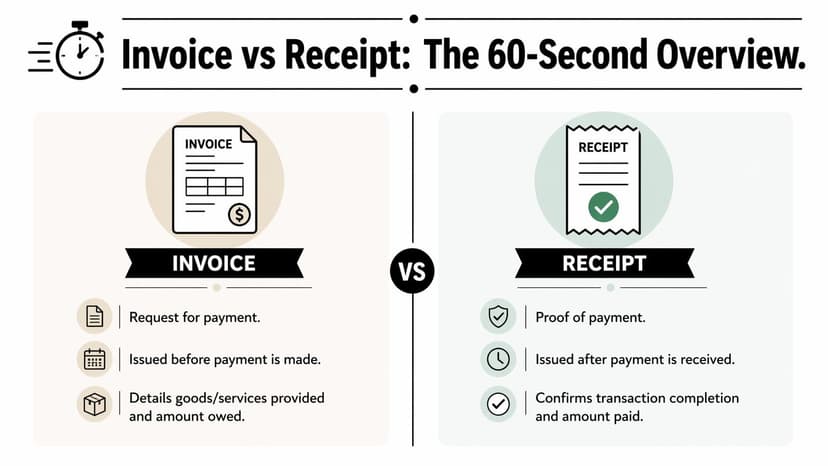
An invoice is a request for payment. It’s issued before payment is made and tells the customer what they owe, when they owe it, and what they’re paying for.
A receipt is proof of payment. It’s issued after payment is received and confirms that the transaction was completed.
You can think of it this way. An invoice is the business saying, “Here’s the amount due.” A receipt is the business saying, “We received your money.”
| Document | When it’s issued | Main purpose | Typical accounting role |
|---|---|---|---|
| Invoice | Before payment | Request payment | Records or supports accounts receivable |
| Receipt | After payment | Confirm payment | Supports cash receipt or completed expense |
The simplest way to tell them apart
Look for the field that anchors the transaction in time.
- Invoice clues: due date, payment terms, amount due, remittance instructions
- Receipt clues: paid date, payment method, amount paid, confirmation of payment
A clean invoice often includes more operational detail because it has to drive collection. A receipt is usually shorter because its job is narrower. It confirms payment happened.
If the document tells the customer when to pay, it’s an invoice. If it tells them how they paid, it’s a receipt.
This distinction is the foundation of the difference between invoice and receipt in every accounting system. In QuickBooks, Xero, and similar tools, invoices feed receivables workflows. Receipts close out payment activity. When people blur the two, they usually create one of two problems: they either overstate cash or under-document payment.
Key Differences for Accounting and Tax Compliance
The difference between invoice and receipt matters because each document answers a different accounting question. An invoice answers, “What is owed?” A receipt answers, “What was paid?”
Purpose in the ledger
Invoices belong to the part of your books that tracks accounts receivable and expected collection. They establish the charge, the customer, the terms, and the amount due.
Receipts belong to the part of your books that supports payment confirmation. They show that money was received or spent, usually with the date and method of payment.
That’s why integrations matter. If you’re connecting ecommerce, billing, and accounting systems, the API layer has to preserve the distinction between billable records and settled records. For teams stitching apps together, the Zoho Books API overview from API2Cart is useful because it shows how invoice and accounting data move across systems where status handling matters.
An invoice can be open, overdue, partially paid, or disputed. A receipt can’t do that job because it doesn’t represent an amount still outstanding.
Timing changes the accounting outcome
The timing difference is not cosmetic. It changes how you post and review transactions.
When you issue an invoice before payment, you’re often recognizing a receivable. When you issue a receipt after payment, you’re documenting settlement. If your bookkeeper imports bank activity first and tries to reconstruct the trail later, the missing link is usually the original invoice.
That’s where expense coding discipline helps. If your workflow is weak at the transaction level, clean categories won’t save you, but they will expose problems faster. A solid companion process is to standardize coding rules before reconciliation starts. This guide on how to categorize expenses properly fits that step well.
Legal status is not the same
The legal role of each document is different. According to QuickBooks’ explanation of invoice vs receipt, the EU VAT Directive 2006/112/EC requires invoices to include 10+ mandatory fields for 99% deductibility rates, while receipts play a simpler proof role. The same source notes that in the US, UCC Article 2 legally binds invoices as sale term contracts, while receipts support buyer protection under laws such as the Fair Credit Billing Act of 1974.
That means an invoice carries more than pricing information. It often forms part of the transaction’s contractual record. A receipt, by contrast, documents completion and supports disputes, returns, reimbursement, or proof that funds were transferred.
Tax support depends on both documents
For tax work, the biggest mistake is assuming one document can always substitute for the other. It usually can’t.
Use this rule set:
- Need to support the original charge? Start with the invoice.
- Need to support that payment occurred? Keep the receipt or bank-backed payment confirmation.
- Need a defensible audit trail? Keep both and make sure the amounts and dates reconcile.
Audit lens: Tax authorities don’t just ask what was billed. They ask what was paid, when it was paid, and whether the records agree with the bank.
For CPAs, review work becomes tedious. The client sends a folder full of invoices, the bank statement shows different dates and net amounts, and some charges include fees, discounts, or split payments. The issue isn’t just document collection. It’s document linkage.
Anatomy of an Invoice and a Receipt
Most clients can identify these documents once you point them to the right fields. The confusion usually comes from forms that look similar at a glance.
What to look for on an invoice
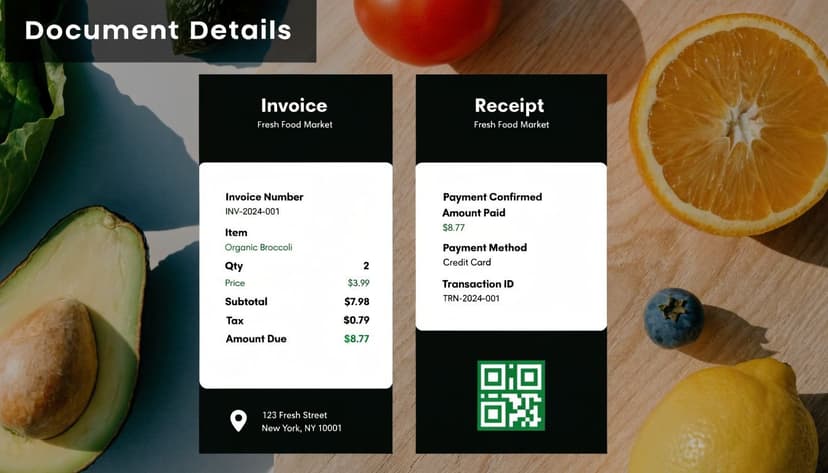
An invoice is usually more detailed because it has to support collection, tax treatment, and audit traceability. In practice, I tell clients to look for the fields that make follow-up possible.
Core invoice fields usually include:
- Invoice number for unique tracking
- Issue date showing when the bill was created
- Customer and supplier details tying the charge to both parties
- Line items describing goods or services
- Payment terms such as Net 30
- Due date showing when payment is expected
- Amount due and applicable taxes
If you want a practical checklist for compliance fields, this guide to mandatory invoice details is a useful reference.
What to look for on a receipt
A receipt has a different signal. It confirms settlement, so the important fields focus on payment completion rather than collection terms.
Look for these:
- Receipt number or transaction reference
- Date paid
- Payment method
- Total paid
- Merchant or payee name
- Balance due, if any remains after a partial payment
When clients only have a phone photo, screenshot, or scanned copy, extraction quality matters. For teams converting visual files into usable records, this article on extracting data from a picture is relevant to the cleanup step.
A quick walkthrough helps if you want to see examples in motion.
How to Record Invoices and Receipts in Your Books
A common cleanup job starts the same way. The owner sends an invoice from QuickBooks, the customer pays a week later, and the bank feed deposit gets posted straight to income. The books now show revenue twice or leave the invoice open, depending on how the entry was forced through. By month-end, accounts receivable aging is wrong, the bank reconciliation takes longer, and the support for that sale is messy if an auditor asks for it.
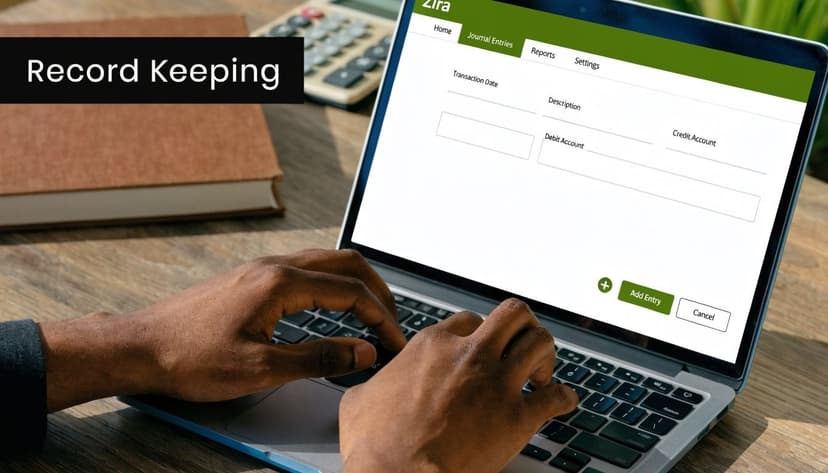
The rule is simple. Record the invoice when you bill. Record the receipt when money is received. In accrual books, those are separate events with separate entries. In cash basis books, software may collapse the reporting effect, but you still need the documents tied correctly if you want clean customer ledgers, accurate bank matching, and defensible tax files.
Entry one when you issue the invoice
If you deliver the work and bill the customer before payment arrives, post the sale to receivables:
- Debit Accounts Receivable
- Credit Sales Revenue
| Account | Debit | Credit |
|---|---|---|
| Accounts Receivable | Amount invoiced | |
| Sales Revenue | Amount invoiced |
That entry does two jobs. It records revenue in the proper period, and it creates an open customer balance that your accounting system can track. If your process starts earlier with a purchase order, keep that document connected to the invoice trail as well. This guide to the difference between a purchase order and invoice helps teams set up that handoff correctly.
Entry two when you receive payment
When the customer pays, record the cash receipt against the open invoice:
- Debit Cash or Bank
- Credit Accounts Receivable
| Account | Debit | Credit |
|---|---|---|
| Cash or Bank | Amount received | |
| Accounts Receivable | Amount received |
Revenue usually does not change here. The payment clears the receivable. If someone posts that deposit straight to sales instead, the bank account may reconcile for the month, but the customer aging report stays wrong and collection follow-up becomes unreliable.
That is the problem I see most often in QuickBooks and Xero files.
What works in QuickBooks and Xero
Use the sales module to create the invoice. Let the system create the receivable from the customer record, not from a manual journal entry unless there is a specific reason.
Then bring in the bank transaction from the feed and match it to the open invoice. In QuickBooks, that usually means using Receive Payment and then matching the deposit. In Xero, it means applying the bank receipt to the outstanding sales invoice instead of coding the line directly to revenue.
A clean workflow usually looks like this:
- Create and send the invoice from the customer file
- Collect payment through the bank, card processor, or payment app
- Match the incoming transaction to the open invoice
- Attach the receipt, remittance, or processor confirmation to that payment record
- Review the A/R aging report after matching to confirm the invoice closed
This matters during reconciliation. If the deposit on the bank statement is net of processing fees, split the fee from the customer payment instead of forcing the net amount against income. If one deposit covers several invoices, apply the payment across all related invoices so the ledger mirrors what happened at the bank. Those are the details that keep reconciliation smooth and prevent old balances from sitting on reports for months.
For firms replacing paper files and scattered email attachments, this article shows how to keep track of receipts with a modern digital workflow. The same discipline helps when you use OCR or document capture tools. Automation is useful only if the extracted receipt is attached to the right payment and the payment is matched to the right invoice.
The audit risk is straightforward. If revenue is recorded from deposits with no invoice trail, or invoices stay open after payment because the cash was posted incorrectly, your books stop agreeing across the sales ledger, bank ledger, and supporting documents. That creates avoidable questions during tax prep, sales tax review, and any audit that tests whether reported income ties back to actual customer transactions.
Handling Partial Payments Credits and Refunds
Real books rarely move in perfect one-invoice, one-payment sequences. That’s where the difference between invoice and receipt becomes even more important.
Partial payments
If a customer pays part of an invoice, the invoice stays open until the balance is cleared. The business should record the payment against the invoice and issue a receipt for the amount received.
That means one invoice can produce more than one payment record over time. Each payment event needs its own support. The invoice shows the full charge. The receipt trail shows how the charge was settled.
Credits and credit memos
A credit memo works like a reverse billing document. You use it when the original invoice was too high, goods were returned, or part of the charge shouldn’t stand.
It doesn’t replace proof of payment. It adjusts what should be owed. That distinction matters because a reduction in the invoice amount and a refund of cash are not the same accounting event.
Refunds
If money was already collected and later returned, keep a separate record of that refund. Don’t rely on a stamped invoice to explain it.
According to Sage’s discussion of invoice vs receipt audit issues, IRS and HMRC 2025 guidelines require separate bank-verified receipts for deductions, and Avalara’s Q1 2026 analysis found 25% of claims were rejected for lacking them in major markets including the US, UK, and EU. That’s why the common advice that a “PAID” invoice is always enough creates problems in review work.
A paid stamp tells you status. A bank-verified receipt tells you payment actually happened.
For reconciliation-heavy files, the safer process is to tie each payment, partial payment, credit, and refund back to the bank activity. If your workflow struggles at that stage, this explainer on what bank statement reconciliation involves is a useful reference point.
In practice, the more exceptions a file has, the less useful a single combined document becomes. Separate records create a cleaner trail.
Automating Document Processing for Perfect Reconciliation
Manual matching doesn’t scale well once transaction volume rises. The problem isn’t that staff can’t identify the difference between invoice and receipt. It’s that the bank statement, invoice list, and client-supplied backup rarely line up neatly enough for fast review.
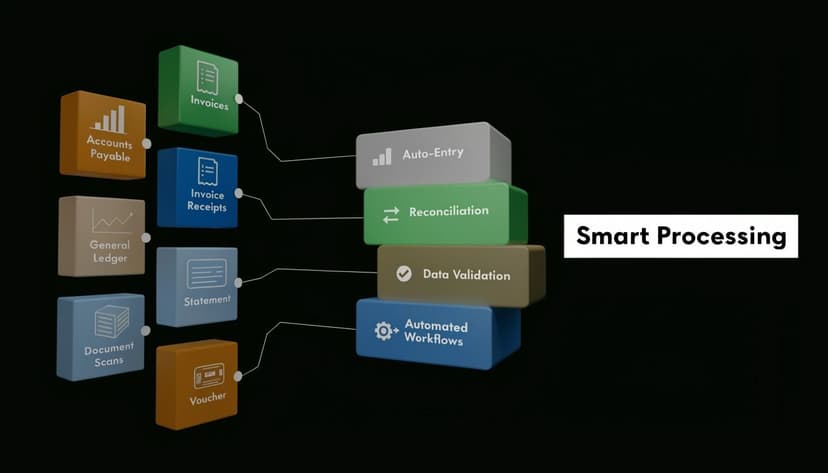
A 2025 Intuit report discussed by Adobe notes that 68% of small firms lose 20+ hours monthly to manual transaction matching, often because a bank statement deposit lacks a clear link to the original invoice. That’s the bottleneck most firms feel during month-end and tax prep.
The practical fix is structured extraction plus disciplined matching. That means:
- Pull clean data from bank statements
- Normalize dates and amounts
- Match deposits and withdrawals to open invoices or recorded expenses
- Flag exceptions instead of manually reviewing every line
For accountants working with scanned bills and client PDFs, good OCR matters before reconciliation even starts. This overview of OCR software for invoices is a good place to evaluate that part of the process.
What works is a workflow where invoices remain billing documents, receipts remain payment proof, and the accounting system links both through the bank activity. What doesn’t work is flattening all of that into one attachment and hoping the audit trail will sort itself out later.
If you’re spending too much time turning bank PDFs into something you can reconcile, ConvertBankToExcel helps you extract statement data into structured Excel, CSV, and accounting-ready formats for faster matching against invoices and receipts. It’s built for CPAs, bookkeepers, and finance teams that need cleaner imports, less manual rekeying, and a stronger audit trail.